

Download Wunderlist – task management, to-do list, productivity app, organize life, collaboration tool, task organizer, free software, desktop application, calendar sync, reminder tool, cloud sync, Microsoft
Overview
Wunderlist is a desktop and mobile productivity application designed to simplify task management and help users organize their personal and professional lives. It serves as a digital to-do list tool that enables users to create, assign, and track tasks across multiple devices. The software addresses common pain points associated with task management, such as disorganization, missed deadlines, and inefficient collaboration.
By offering intuitive workflows and real-time synchronization, Wunderlist aims to reduce the time spent managing tasks and increase the time spent completing them. It is particularly suited for individuals seeking a streamlined way to manage daily responsibilities, as well as teams or groups that need to coordinate efforts through shared task lists. The app was developed by Microsoft Corporation, a well-established technology company known for its software ecosystem, lending credibility to the product’s reliability and long-term support.
Wunderlist supports a wide range of real-world use cases, from grocery shopping and travel planning to project coordination and personal goal tracking. Its collaborative features make it ideal for families, coworkers, and friends managing joint tasks. The developer did not provide additional system requirements beyond the listed platforms.
Key Features & Capabilities
- Task Creation and Organization: Users can create unlimited lists and tasks, with the ability to add due dates, reminders, and priority levels. Subtasks are available in the Pro version, enabling users to break down complex projects into manageable steps.
- Real-Time Collaboration: Wunderlist allows users to share lists with others via email, assign tasks, and monitor progress through a centralized Activity Center. This fosters transparency and accountability in team or group settings.
- Communication Tools: The Conversations feature enables users to comment directly on tasks, ask questions, and provide updates without leaving the app, improving workflow efficiency and reducing external communication overhead.
- Notification System: Users can receive push notifications or email alerts for upcoming tasks, completed items, or activity on shared lists, helping maintain focus and timely action.
- Cloud Sync Across Devices: Wunderlist syncs data across Windows, Mac, iOS, and Android platforms, ensuring access to the latest task information regardless of device. However, synchronization reliability has been reported as inconsistent in some cases.
- Public List Sharing: Users can publish their lists publicly, allowing others to view and even contribute to them, which is useful for community projects or public event planning.
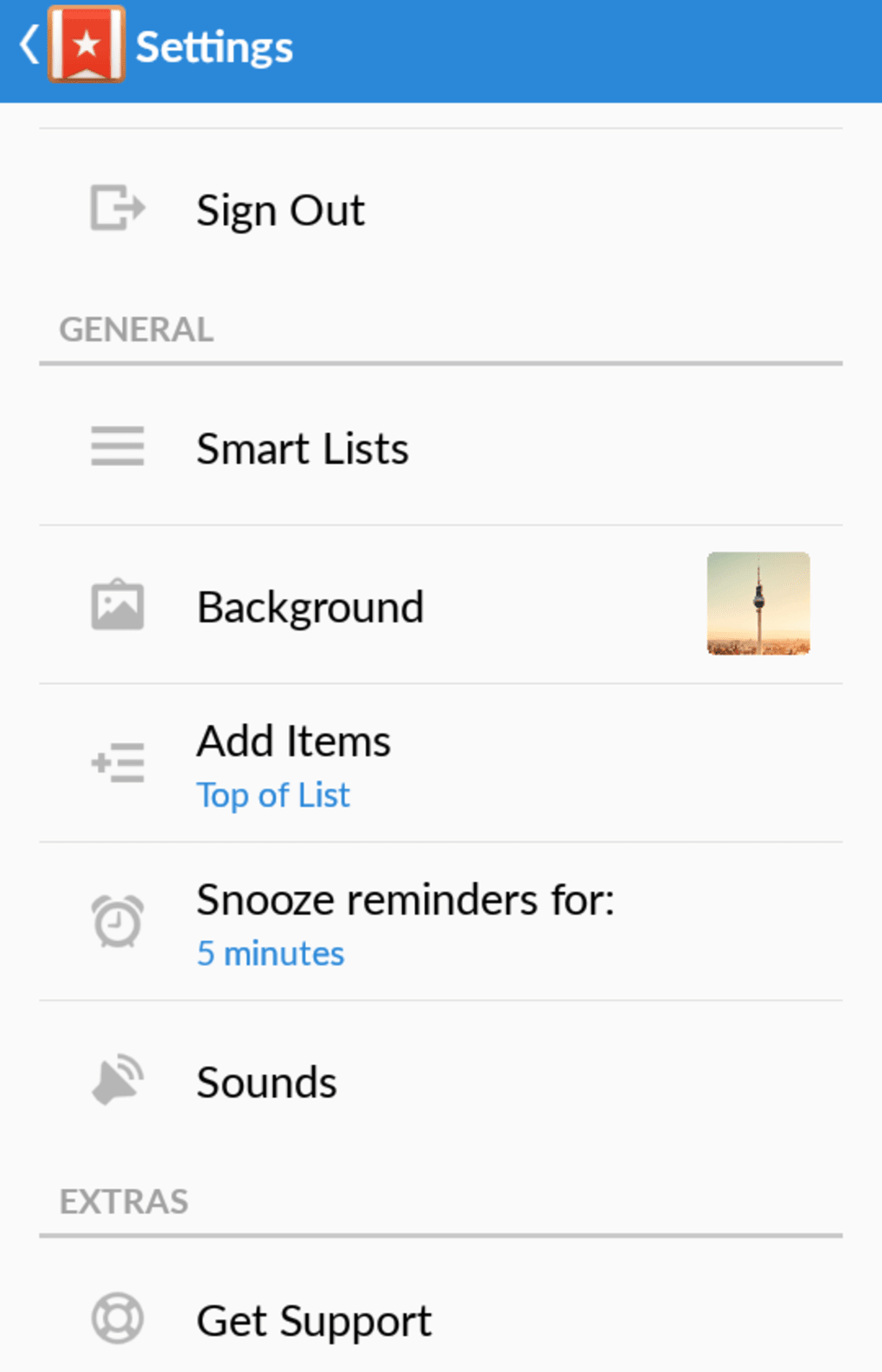
- Pro Version Enhancements: The Pro version includes advanced features such as unlimited tasks, file attachments of any size, customizable backgrounds, and enhanced task hierarchy through subtasks.
User Interface, Workflow & Performance
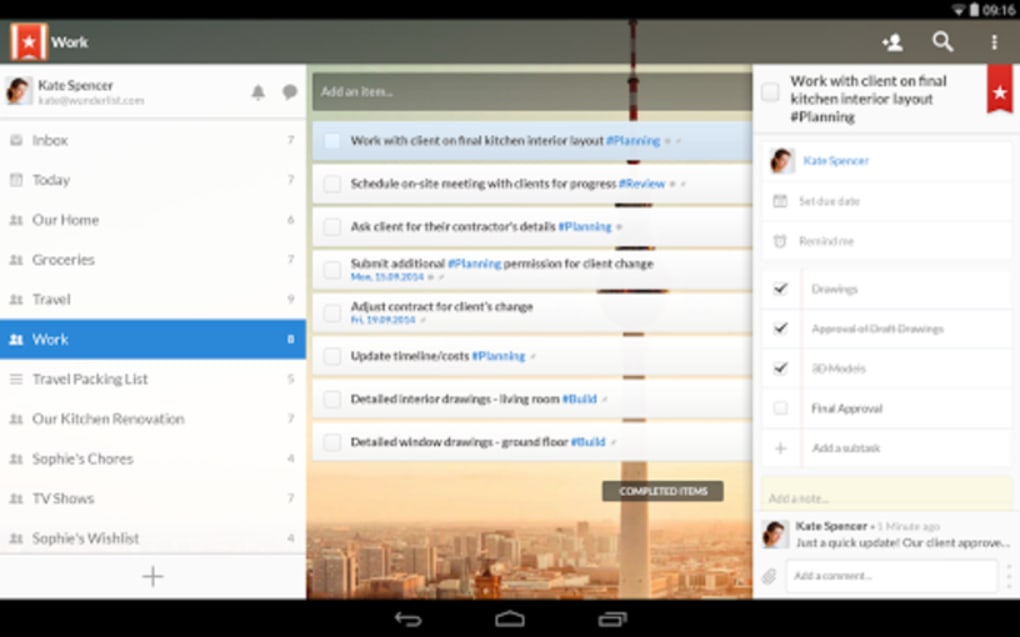
The user interface of Wunderlist is clean, minimalist, and designed for immediate usability. Navigation is intuitive, with a consistent layout that places core functions—such as adding tasks, viewing lists, and accessing settings—within easy reach. The app uses familiar iconography for actions like notifications, search, and conversations, reducing the learning curve for new users.
Task management is streamlined: adding a new item requires just one tap or click, and removing or completing a task can be done with a simple swipe or tap. The workflow is optimized for speed and clarity, minimizing distractions and enabling users to focus on execution rather than navigation. Performance observations are based on general software behavior patterns, as exact performance details were not specified.
The developer did not provide information on CPU or RAM usage, nor did they detail stability under heavy workloads. While real-time syncing is a core feature, some users have reported delays in notification delivery and inconsistent sync behavior, which may affect reliability in time-sensitive scenarios. Overall, the interface maintains a high level of responsiveness, and the app remains stable during typical usage.
Compatibility & System Requirements
Wunderlist is available for Windows, Mac, iOS, and Android operating systems. The software is compatible with desktop and mobile platforms, enabling users to access their task lists across multiple devices. The installation size is 15.2 MB, indicating a lightweight footprint suitable for most modern systems.
The version number is 1.0, though it is unclear if this represents the initial release or a current milestone. The developer did not specify exact system requirements, such as minimum processor speed, RAM, or storage capacity. Platform compatibility information is limited to the listed operating systems.
No details were provided about hardware requirements or performance under specific configurations. The app supports cloud-based synchronization across platforms, but users should be aware that sync reliability may vary depending on network conditions.
Pros and Cons
Pros
- Intuitive and user-friendly interface with minimal learning curve
- Real-time cloud sync across Windows, Mac, iOS, and Android
- Strong collaboration features for team and group task management
- Free version offers core functionality for personal use
- Pro version provides valuable upgrades like file attachments and unlimited tasks
- Supports task prioritization, reminders, and notifications
- Public list sharing enables community engagement
Cons
- Syncing reliability has been reported as inconsistent in some instances
- Notifications may experience delays in delivery
- Pro version is not available on Android
- Calendar integration is not currently supported
- Limited system requirement details provided
- Some advanced features are locked behind a subscription
FAQ Section
Is Wunderlist available for Windows and Mac?
Yes, Wunderlist is available for both Windows and Mac operating systems, allowing users to manage tasks on desktop devices.
Can I use Wunderlist without an internet connection?
While Wunderlist can be accessed offline, full functionality—including syncing, notifications, and collaboration—requires an active internet connection.
Is Wunderlist safe to download and use?
Wunderlist is developed by Microsoft Corporation, a trusted technology provider. The app uses standard security practices for data transmission and storage, though specific security protocols were not detailed in the provided information.
How often does Wunderlist update?
Updates are released periodically to improve functionality, fix bugs, and enhance performance. The frequency of updates is not specified in the provided details.
Can I share my lists with others?
Yes, Wunderlist allows users to share lists with others via email. You can assign tasks, comment on items, and track progress collaboratively through the Activity Center.
Final Thoughts + CTA
Wunderlist stands out as a powerful, easy-to-use productivity tool that effectively simplifies task management for individuals and teams alike. Its clean interface, robust collaboration features, and cross-platform availability make it a compelling choice for anyone looking to organize their life more efficiently. While minor issues with sync reliability and notification timing exist, the app’s core functionality remains strong and highly usable.
The free version offers significant value, and the Pro upgrade provides meaningful enhancements for power users. With its focus on reducing task management overhead and increasing productivity, Wunderlist delivers on its promise to help users spend less time organizing and more time doing. For those seeking a reliable, secure, and intuitive to-do list application, Wunderlist remains one of the top choices in its category.
Download Wunderlist now.





.png)

